
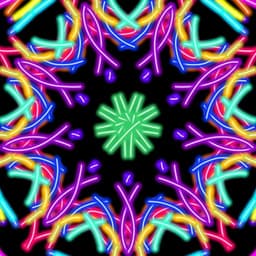
Screenshots
About Magic Paint Kaleidoscope
Magic Paint Kaleidoscope transforms every touch into a mesmerizing symmetrical artwork. Each stroke you make is instantly mirrored across multiple axes, creating intricate mandalas, ornaments, and geometric patterns from a single swipe. It's a tool for meditative drawing, creative exploration, and artistic play for all ages.
Experiment with 20 symmetry modes to discover new visual possibilities. Choose from vertical and horizontal mirroring, radial symmetry with 3 to 18 sectors, and layered double symmetry (2x3 through 2x9). Fine-tune your creative control with flexible axis settings: disable symmetry entirely, lock to screen center, tap to set a custom pivot point, or align along horizontal or vertical lines.
Two brush engines give you complete artistic freedom. The line stroke brush responds naturally to your speed and pressure, while the tangent circle brush creates perfectly fitted circles that flow seamlessly at any drawing pace. Adjust stroke width and opacity to layer effects and build depth. Select from a 24-color palette or let the app surprise you with a random hue for each stroke—perfect for discovering unexpected color harmony. Fill the entire canvas with a single tap whenever you need a fresh background or dramatic color shift.
Bring photographs and images into your creative process. Load any background image from your device and paint over it to blend photography with symmetrical art. Build complex compositions by layering and refining over time. Undo or redo up to 30 steps if you want to revisit earlier decisions without losing your progress.
Your work is preserved automatically. Sessions save in the background so you can close the app and return exactly where you left off. Create a library of saved sessions with thumbnail previews in a dedicated folder, allowing you to reopen and continue any drawing whenever inspiration strikes. Watch your artistic process unfold by replaying your session as a video at speeds from 0.25x to 8x, complete with scrubbing to jump to any moment.
Export finished pieces to your gallery as PNG files or share directly to any app on your device. The interface is clean and distraction-free—no ads interrupt your flow while drawing. Support for 10 languages (English, Русский, Deutsch, Español, Français, Português, हिन्दी, Bahasa Indonesia, বাংলা, and 中文) makes the app accessible worldwide.
Use Magic Paint Kaleidoscope to create mandalas and intricate kaleidoscope designs, generate ornaments and textures, design snowflake and floral patterns, produce abstract wallpapers, or simply unwind through art therapy and relaxation. Lightweight and intuitive, it works smoothly on any device.
Pros & Cons
Pros
- 20 symmetry modes unlock endless geometric and mandala design possibilities
- Two distinct brush engines provide natural line strokes and perfect circles
- Automatic session saving lets you pause and resume work without manual export
- Load and paint over your own photos to blend photography with symmetrical art
Cons
- Undo limit of 30 steps may feel restrictive for longer, complex sessions
- Exporting to PNG only; no vector format option for scaling artwork losslessly
- Requires device storage for saved sessions and background image processing
Related Apps

Peggle
Arcade ball-shooter game with 50+ levels, character abilities, and multiplayer modes—Peggle

Super Mario Bros: Odyssey
2D platformer with Mario & Luigi adventure through the Mushroom Kingdom—classic gameplay with modern mechanics.

Roobet
JOL KNGSTON
Arcade game: catch diamonds, avoid obstacles, race against the pace. Simple controls, high-score challenges.

Dice Dreams™️
SuperPlay.
Roll dice, collect coins, and build your kingdom in this magical board game adventure with friends.

Domino Dreams™
SuperPlay.
Domino puzzle game with relaxing gameplay, colorful boards, and satisfying tile-matching challenges.

Poker Heat™ Texas Holdem Poker
Playtika
Texas Hold'em poker online with leagues, tournaments, and daily bonuses. Compete vs players worldwide.
Latest Articles
7 best Adobe Acrobat Studio alternatives for desktop in 2026 (we tested all of them)
Jul 9, 2026

Best apps for AI task scheduling on desktop in 2026
Jul 9, 2026

Best apps for using Android as a second monitor in 2026 (we tested 8)
Jul 9, 2026
Best apps for chatting with PDFs on desktop in 2026 (we tested 8)
Jul 9, 2026

Best apps for desktop customization in 2026 (Windows, macOS, Linux)
Jul 9, 2026